
UK-built. For sites worldwide.
Sign visitors and staff in.
See who’s on site.
Replace the paper sign-in book. Give reception a record of each arrival and your roll-call team a list of people to account for.
Discover our first-year launch offerLaunch offer · First 12 months
Make your first year count.
Then £59 per site per month or £590 per site per year. Assisted setup: £199.
From the front door
to the full picture.
Replace scattered sign-in sheets with a connected view of your site. EntryPath brings visitors, staff and custom groups together without making every arrival follow the same process.
A better first impression
A branded sign-in experience, remembered visitor details and the right site rules, every visit.
Visitor managementEveryone, accounted for
Staff, agency teams, students or members. Keep distinct groups visible with rules that fit.
People & groupsReady for roll call
Give authorised teams a clear emergency register of the people recorded on site.
Emergency roll callAn example visit
From sign-in to roll call.
Alex Morgan arrives at North Reception to visit Sam Lee. Less than an hour later, the fire alarm sounds.
- Alex signs in at the kioskReception’s on-site register now shows Alex as a visitor, with Sam as host.
- The warden opens the registerAlex is already on it, in the visitor group. No paper book to collect on the way out.
Try it: mark Alex as accounted for.
Example drill
Assembly point register
Sam is accounted for. When the warden sees Alex and marks Alex’s name, the count goes from 1 of 3 to 2 of 3.
1 of 3 accounted for
Explore the EntryPath screens
A first impression that feels like you.
Give each entrance a clear, branded sign-in experience. Choose the services your people need, with different journeys for visitors, staff and regular attendees.
Explore visitor management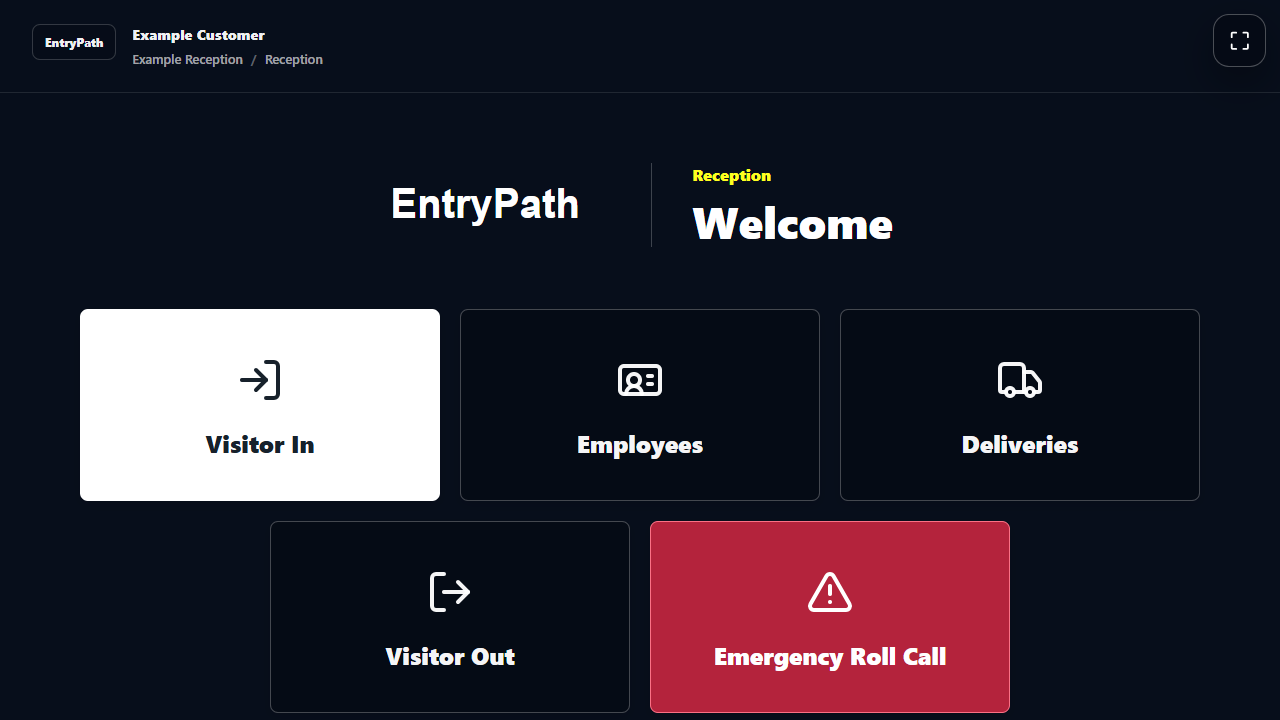
Know who is recorded on site.
See visitors, staff, agency workers and custom groups under their own names. Filter the register to the location and people your team needs.
Explore attendance groups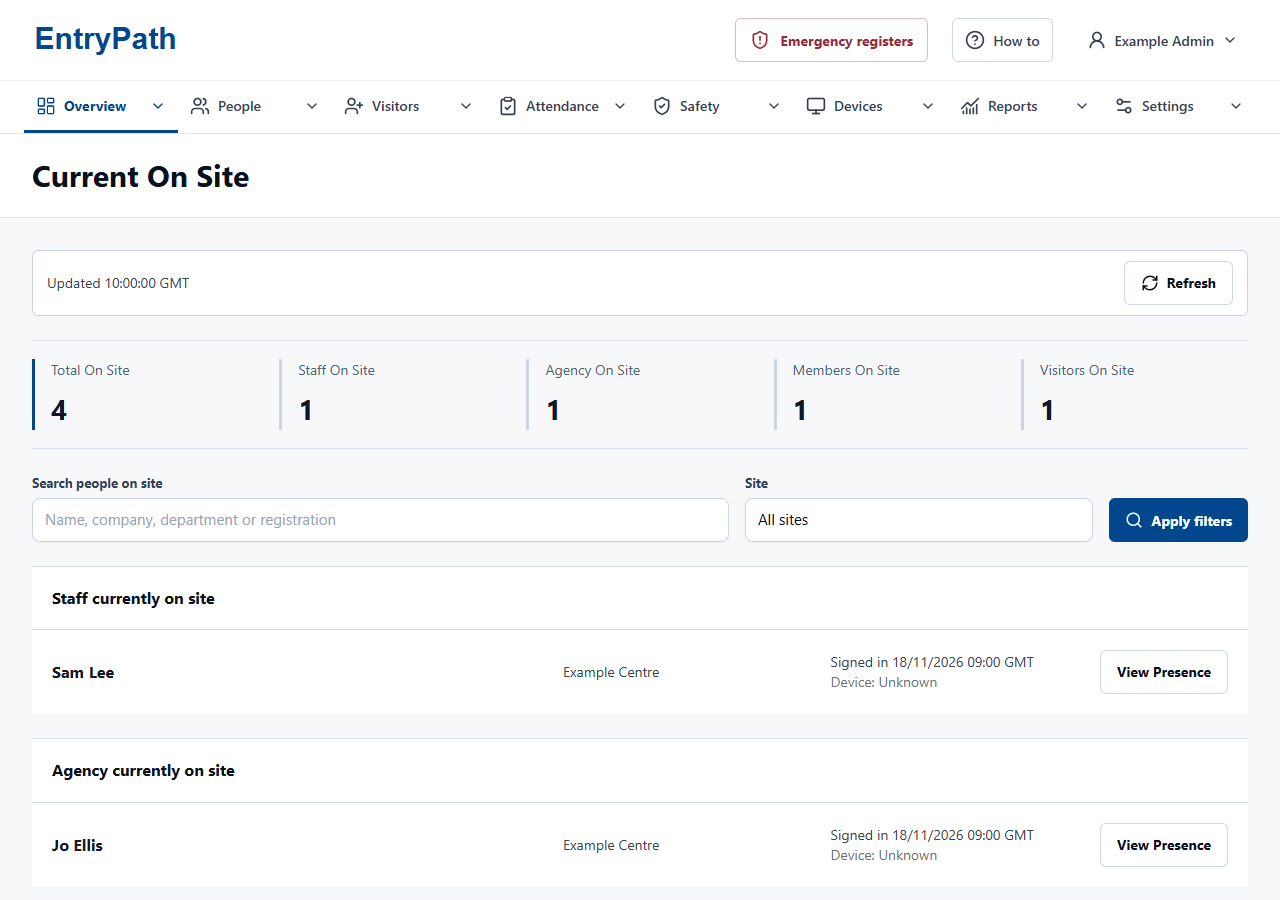
Review the working day.
Filter attendance by site and date, then review recorded arrivals, departures and exceptions. Authorised teams can export the records they are permitted to see.
Explore staff attendance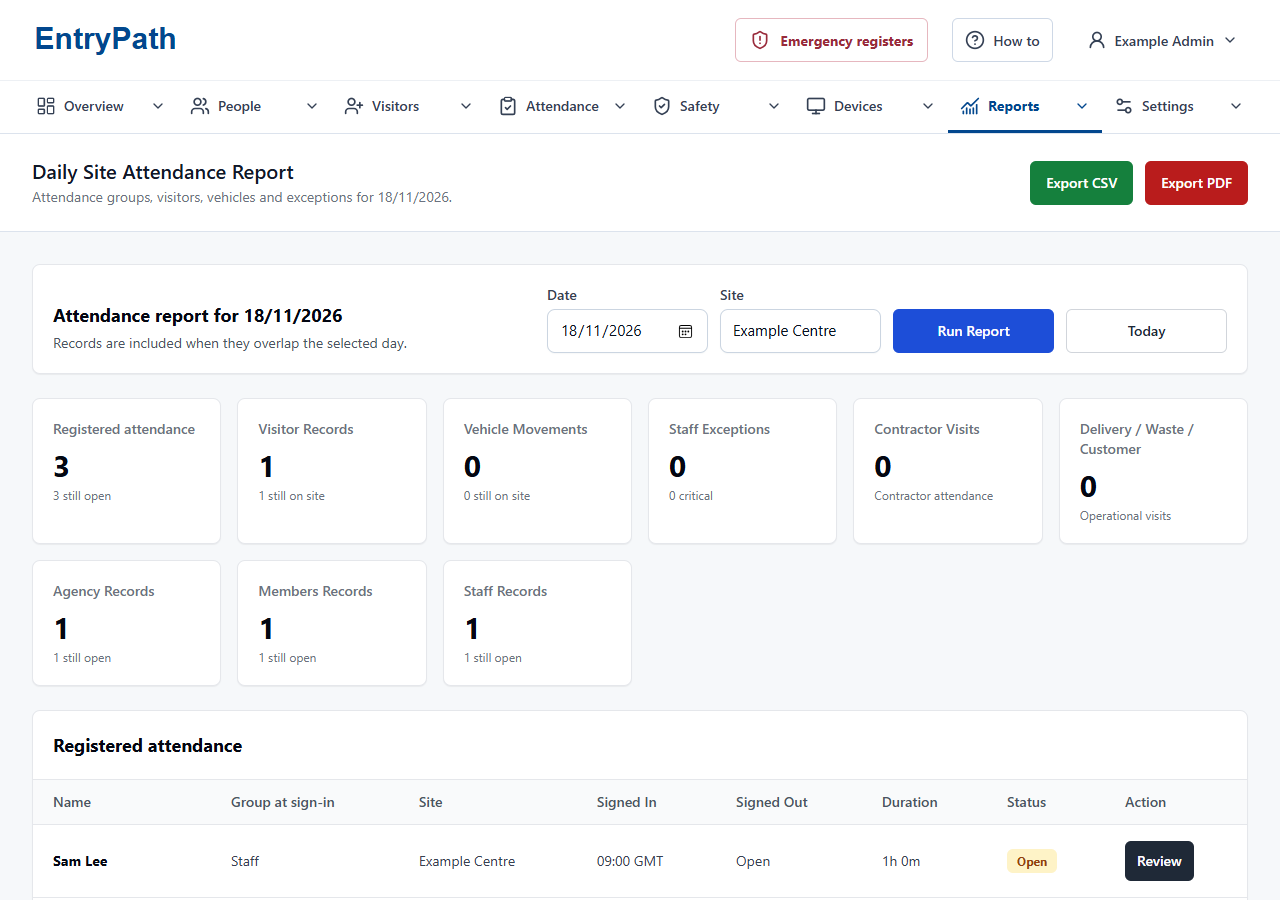
A shared view during a drill.
Authorised teams can review who is accounted for and who still needs checking. Use this alongside your emergency procedure, a working connection and a tested fallback.
Explore emergency roll call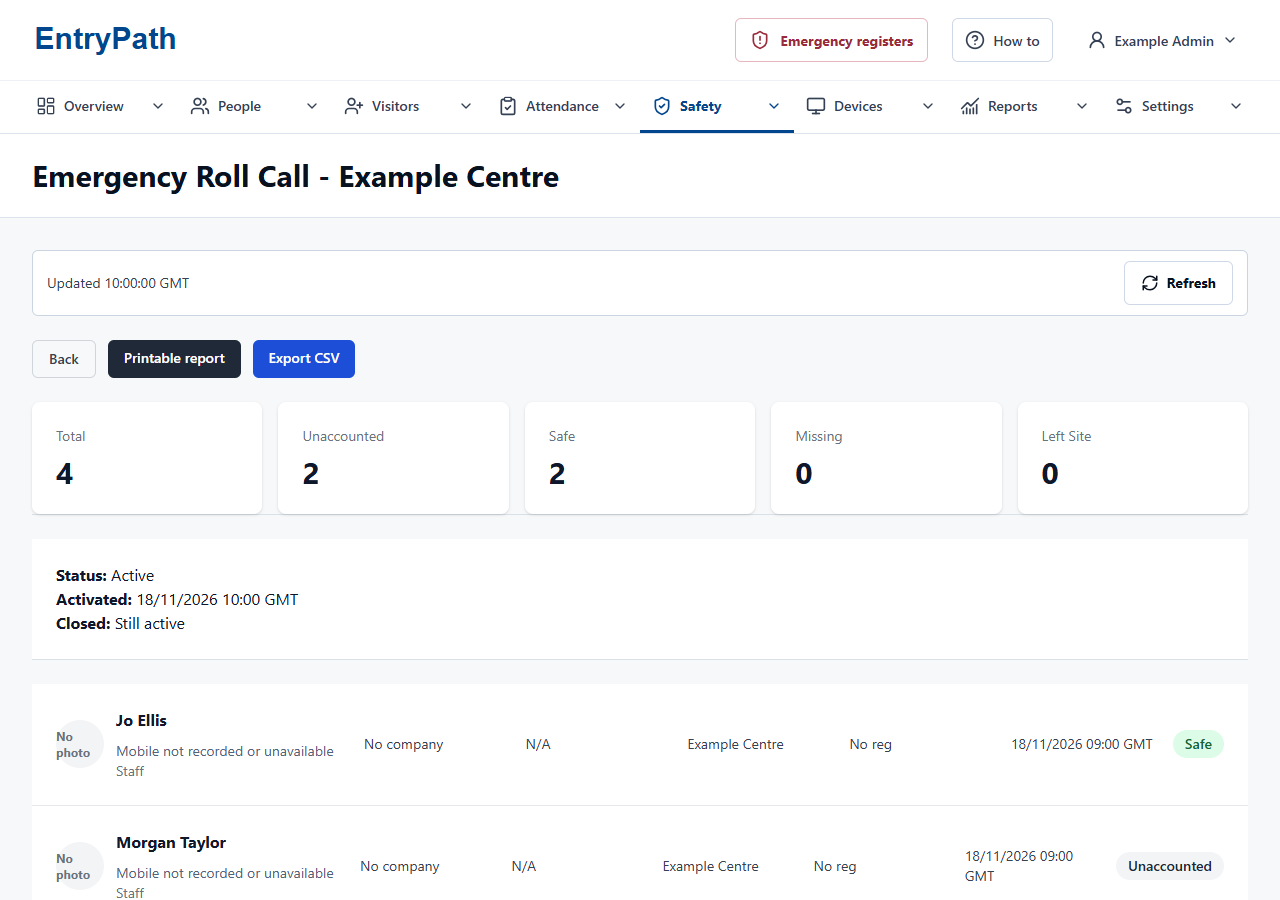
Your name on the front door.
Use your organisation's name, logos and colours. Keep a consistent identity while adapting kiosk wording and services to each location.
Explore multi-site setup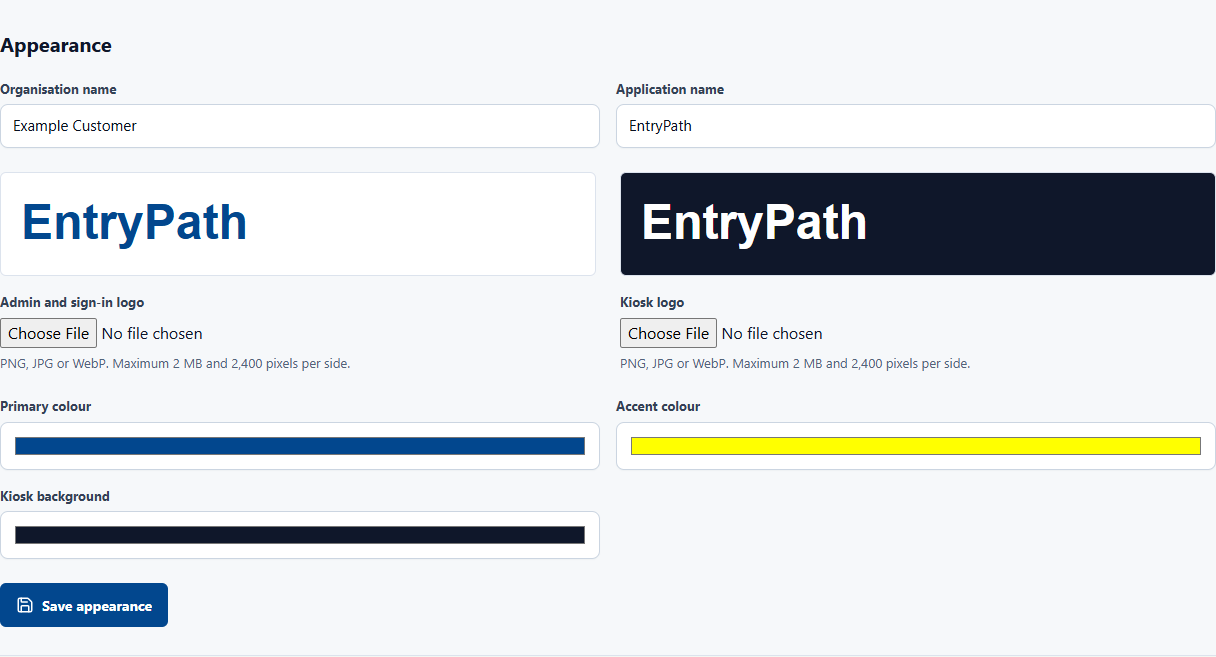
The right access for the right people.
Assign roles and sites to your team. Central administrators and local managers can have different responsibilities, without opening every location to every account.
Explore access controls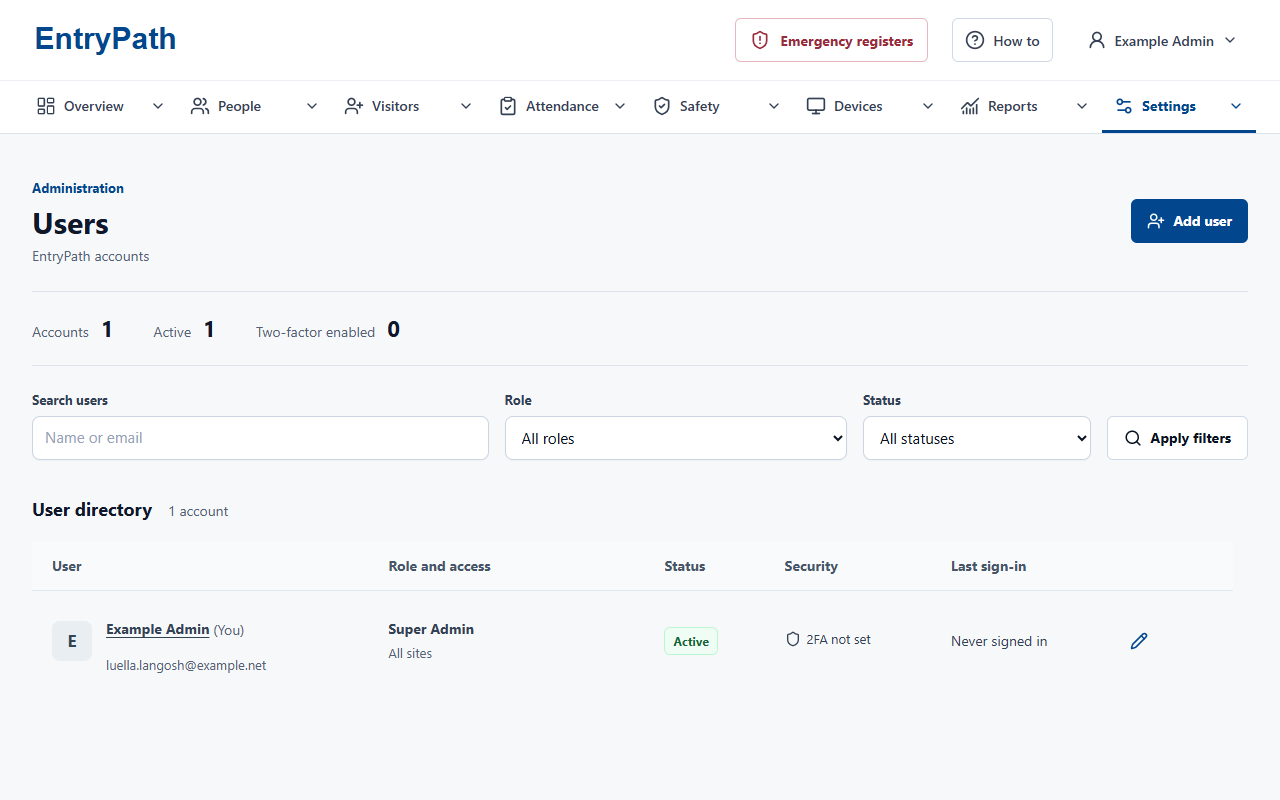
Plan beyond the front desk.
A clear register supports your emergency procedure. It does not replace it.
Test authorised access at the assembly point. A working connection and a tested alternative procedure remain essential.
Explore emergency roll callBuilt for the way
your site works.
An office reception and a school entrance have different needs. Start with the people you welcome and the rules you work to.
A considered rollout
Make it yours.
Keep it under control.
Choose what information to collect and which teams can see it. Keep your sign-in process consistent across the places where you work.
Explore the controlsStart with your site
Consider your people, entrances and day-to-day challenges.
See the right workflows
Explore the sign-in journeys, reports and controls relevant to your team.
Plan your rollout
Agree the configuration, hardware, training and support before going live.
Is EntryPath just for visitors?
No. It also supports staff, agency workers and custom attendance groups such as students or members. Each can have an appropriate sign-in journey.
Can we keep our own branding?
Yes. Organisation branding and configurable kiosk wording let EntryPath fit the place where it is used.
Do we need to replace our hardware?
Not necessarily. The system is browser-based. We will review your tablets, kiosk settings, network and any badge printer before agreeing the setup.
Can we see it before deciding?
Yes. Request a demonstration and tell us which workflows matter to you. A demo enquiry does not create a subscription or take payment.
See how EntryPath fits your site.
See the sign-in journeys, attendance views and controls that fit your organisation.